
The Biggest Sayscroll Update Yet: Near-Instant Voice Tracking and a Built-In Video Recorder
This is the biggest update in Sayscroll's history, and it starts with the thing you've told us mattered most: speed. We rebuilt the entire speech pipeline from the ground up, so the script now follows your voice the instant you speak — and on top of that, Sayscroll is now a video recorder too. Everything below is already live in your account; just paste a script and hit Present.
Near-instant voice tracking
Some of you noticed the prompter could feel a step behind your voice — especially on iPhone and iPad, where the way browsers deliver microphone audio added up to a full second of delay before the scroll could react. Our new engine streams your voice continuously instead of in batches, which removes that lag entirely. On iPhone, the difference is night and day: the text moves *with* you, not after you.
We didn't stop at the audio. The scroll itself has been completely re-tuned: instead of rushing to catch up and stopping, it now glides at your reading pace in one smooth, continuous motion — like a camera operator who knows your script. Speak faster and it speeds up; pause, and it eases to a stop. It's the difference between a tool you fight and one you forget is there.
New: record your takes right in the prompter
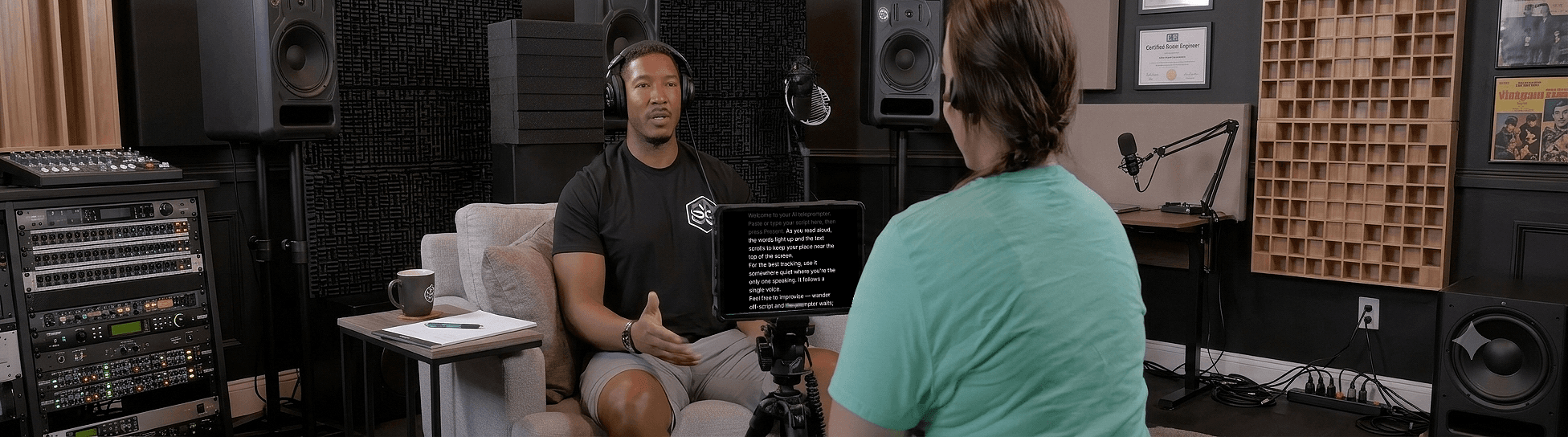
The second headline: you can now record yourself on camera while Sayscroll follows your voice. No second device, no juggling apps, no reading from one screen while filming on another — which means your eyes stay on the lens the whole take.
- Two layouts — split screen, or your script overlaid right on the camera view so you read straight into the lens.
- One continuous file — flubbed a line? Hit restart from the top and keep rolling; you trim the takes later instead of starting over.
- Save to Photos — on iPhone, one tap sends your take straight to your camera roll via the share sheet.
- Private by design — recordings never leave your device. Nothing is uploaded, ever.
Sharper recognition in your language
Sayscroll now tells the speech engine which language you're most likely reading *before* you say a word, so recognition locks on faster and more accurately — while still supporting all 60+ languages, even mixed in the same script.
A smarter reading companion
A set of smaller intelligence upgrades that add up to a calmer read:
- Compound words, URLs, and numbers — the prompter now follows you word-by-word through things like “state-of-the-art” or “sayscroll.com/pricing” instead of waiting for the whole phrase.
- Scroll to any line — to skip ahead or go back, scroll until the line you want to read next is near the top of the screen and keep reading. The words above it are marked as read, and voice tracking continues from there. *(Updated September 2026 — scrolling used to pause tracking briefly; now it moves your place in the script.)*
- Network hiccups heal themselves — if your connection drops mid-read, Sayscroll reconnects silently instead of interrupting you.
- Words fade as you say them — your place in the script is always obvious at a glance.
- Mirror controls — flip the display horizontally or vertically for beam-splitter teleprompter rigs, right from the new screen controls menu.
Try it now
There's nothing to install or update — Sayscroll runs in your browser and every improvement above is already live, including in the free demo. Paste a script, hit Present, and feel the difference. And we're not done yet.
Frequently asked questions
Do I need to update anything to get the new version?
No. Sayscroll runs in your browser, so everyone is on the newest version automatically — the faster engine and the video recorder are already live in your account and in the free demo.
Which devices got faster?
Every device benefits from the rebuilt engine, but iPhone and iPad gained the most: the old audio pipeline added up to a full second of delay on iOS, and that lag is now gone.
Are my video recordings uploaded anywhere?
No. Takes are captured and stored on your device only — nothing is uploaded. On iPhone you can save a take straight to Photos with the share sheet; elsewhere it downloads as a video file.
Keep reading
Add Sayscroll to Your Home Screen (iPhone & Android)
Turn the Sayscroll web app into a home-screen icon on iPhone and Android for a distraction-free, full-screen teleprompter — step by step for both phones.
How to Record a Talking-Head Video (Setup, Script, and Delivery)
Camera, framing, light, sound, script, prompter, delivery: the complete talking-head recipe, with the choices that matter and the ones that don't.
What Is a Voice-Controlled Teleprompter?
A plain-language explanation of voice-controlled teleprompters — how speech tracking works, what happens when you pause or improvise, and why it beats fixed-speed auto-scroll.
Related pages
Voice-Controlled Teleprompter
The script moves because you are speaking — it starts when you start, waits when you pause, and needs no remote, pedal, or operator.
Teleprompter for iPhone
Prop up the phone, open Safari, and let your voice scroll the script — while the same phone films you.
AI Teleprompter
The AI is real-time speech recognition plus word matching. Here is exactly what it does, what it can't do, and why it changes how you read.
Speak naturally — Let the script follow you
The AI teleprompter that scrolls as you speak — in 60+ languages.