
Teleprompter Tips for YouTube Creators
A teleprompter can turn a five-take intro into one clean read, and on a channel that publishes weekly the hours add up fast. These tips are aimed at YouTube creators recording talking-head videos, from the script to the upload, with a few that only matter once you are publishing regularly.
Write for the ear
Script in your speaking voice: short sentences, contractions, one idea per line, numbers as words. It reads more naturally and is easier to follow on a prompter. Put the hook in the first two lines and cut every “in this video I'm going to” before it. A five-minute video is about 700 words at a conversational pace; the word count table has every other length.
Mount the prompter near the lens
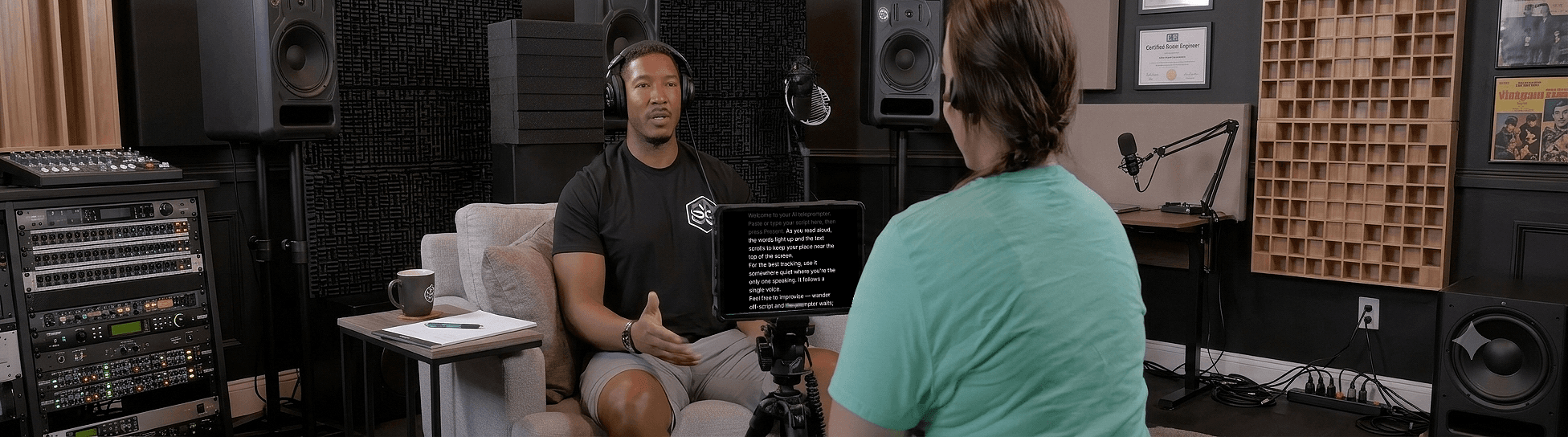
Whether it's your laptop, a tablet, or a phone, get the text as close to the lens as possible so your eye line stays on camera, and get the lens to eye height. The setup guide by budget covers phone-only through beam-splitter rigs; the short answer is that the text within a few centimetres of the lens beats any amount of camera.
Use voice following to cut retakes
Most retakes happen because the text scrolled too fast or too slow. A voice-following prompter paces to you, so you can ad-lib a joke and it waits for you to come back — but only if the tracking holds. Most apps that advertise voice following just don't track well enough to trust — they drift or jump to the wrong line even on a clean read, and you reset the take anyway. Sayscroll stays locked to your words — it doesn't drift, lag, or jump — so a mistracked scroll won't cost you another take.
Record right in the prompter, in one long take
Sayscroll has a built-in video recorder: turn on your camera and capture takes while the script follows your voice, with the text overlaid on your camera preview or in a split-screen layout. When you flub a line, say it again and keep rolling; the prompter re-syncs to the repeated sentence and you cut the first attempt later. Takes save to your device as regular video files (MP4 or WebM), so they drop straight into your editor — and nothing is uploaded. Running a multi-cam or OBS setup instead? Keep your usual rig and leave the prompter on screen as before.
Batch your scripts
Recording several videos? Write them all first, then load each script in turn and keep the same framing, light, and outfit. Consistent setup makes editing faster and lets you record a month of content in an afternoon. Keep a running “channel intro” and “outro” script you can paste at the top and bottom of every one.
Sponsor reads and Shorts
Sponsor segments have to be word-accurate, which is where a prompter earns its keep: paste the brand's copy exactly and read it with the same energy as the rest of the video rather than switching into announcer mode. For Shorts and vertical clips, record on the phone with Sayscroll in overlay layout, big text, and a 60-second script of 120 to 150 words, hook first.
Bring more energy than feels natural
The camera flattens energy — what feels slightly over-the-top in the room usually lands as just right on playback. Smile, gesture, and lift your pace a notch. A voice-following prompter keeps up with the faster delivery, so you can perform instead of babysitting a scroll speed.
For delivery, see how to look natural on camera; for the full recording recipe, how to record a talking-head video.
Frequently asked questions
Do YouTubers use teleprompters?
Most do, especially for scripted intros, tutorials, and sponsor reads. A voice-following prompter keeps delivery natural so it doesn't look read.
What's the best teleprompter setup for YouTube?
Keep the text close to the lens, size the font for your filming distance, and use a voice-paced prompter so you control the scroll without a remote. If you record with a webcam or phone, Sayscroll's built-in recorder captures the take in the same tab — no second app needed.
How do I make a sponsor read sound natural?
Paste the exact copy into the prompter, read it in short lines at the same energy as the rest of the video, and let the prompter follow your voice so you can pause and emphasise. Word accuracy comes from the script; naturalness comes from the pace being yours.
Can I use a teleprompter for YouTube Shorts?
Yes. Record on your phone with Sayscroll in overlay layout so the text sits under the front camera, use large text, and keep the script to 120–150 words for 60 seconds with the hook in the first line.
Keep reading
The Best YouTube Teleprompter Setup for Every Budget
Four setups — phone only, laptop and webcam, tablet under a camera, beam-splitter rig — with placement, cost, and the one piece of software that works in all of them.
How to Record a Talking-Head Video (Setup, Script, and Delivery)
Camera, framing, light, sound, script, prompter, delivery: the complete talking-head recipe, with the choices that matter and the ones that don't.
How Many Words Is a 5-Minute Video? (Plus 30 Seconds to 30 Minutes)
About 700 words at 140 words per minute — and here is the full table from 30 seconds to 30 minutes at three paces, with the adjustments for pauses, cuts, and nerves.
Related pages
Teleprompter for YouTube
Look into the lens, say the whole script in one pass, and record it in the same tab — the prompter follows you, not the other way round.
Voice-Controlled Teleprompter
The script moves because you are speaking — it starts when you start, waits when you pause, and needs no remote, pedal, or operator.
Teleprompter for Podcasts
Read intros, ad reads, and segues without sounding like you're reading.
Speak naturally — Let the script follow you
The AI teleprompter that scrolls as you speak — in 60+ languages.