
Online teleprompter that follows your voice
Open a tab, paste your script, allow the microphone, and read. Nothing to install on any device.
An online teleprompter runs entirely in your web browser, with nothing to download or update. Sayscroll adds voice following: the script scrolls as you speak and pauses when you stop, on any laptop, phone, or tablet with a microphone. This page covers which browsers work, how to grant microphone access on each, what happens offline, and how an online prompter compares with installable apps.
Which browsers and devices work
Any modern browser that can access a microphone runs the prompter. Below is what we test on; anything newer than about two years old is fine.
| Device | Browsers | Notes |
|---|---|---|
| Mac | Safari, Chrome, Arc, Edge, Firefox | Built-in recorder saves takes to Downloads |
| Windows PC / laptop | Edge, Chrome, Firefox | Works side by side with OBS, Teams, Zoom |
| iPhone / iPad | Safari, Chrome, any iOS browser | Add to home screen for a full-screen icon; takes save to Photos |
| Android phone / tablet | Chrome, Samsung Internet, Firefox | Add to home screen; takes download as video files |
| Chromebook / Linux | Chrome, Firefox | Same as desktop |
Device-specific setup lives on the teleprompter for Mac, teleprompter for Windows, and teleprompter for iPhone pages.
Allowing the microphone, browser by browser
The first time you press Present, the browser asks for microphone permission. Allow it once and the choice is remembered for sayscroll.com. If tracking never starts, the permission is almost always the reason.
- Chrome / Edge / Arc: click the lock or tune icon in the address bar → Site settings → Microphone → Allow. Pick the right input if you have several.
- Safari (Mac): Safari menu → Settings for sayscroll.com → Microphone → Allow. On iPhone: Settings → Safari → Microphone → Allow, then reload.
- Firefox: click the microphone icon in the address bar, choose the device, and tick "Remember this decision".
- Bluetooth headsets and external mics: select them in the browser prompt, not just in the operating system, or the browser may keep using the built-in mic.
Voice-paced, not fixed-speed
Classic web prompters have existed for twenty years: paste text, pick a speed, press start. Sayscroll is a different kind of online teleprompter. Real-time speech recognition matches what you say against the script, so the text moves at your pace, waits when you pause, and re-syncs when you repeat a line or return from an ad-lib.
- No download to start
- Built-in video recorder — record takes right in the browser
- Your script stays in your browser
- 60+ languages, including mixed scripts
How that works, and what to expect when you improvise, is explained on the voice-controlled teleprompter page.
Recording without a second app
Because everything runs in the tab, the prompter can also be the camera. Turn on the built-in recorder and the script sits over your camera preview (overlay) or above it (split), so your eyes stay by the lens while you read.
- Paste your script and press Present.
- Turn on the camera; choose overlay or split layout.
- Press record, read, stop. Record as many takes as you like.
- Save the keepers — MP4 or WebM depending on the browser — straight to your device. Nothing is uploaded.
Prefer a proper camera or OBS? Keep the prompter in one window and your recording app in another; the prompter only needs to hear you. The full workflow is on the teleprompter for YouTube page.
Offline, bandwidth, and latency
Voice following needs an internet connection, because speech is transcribed live. The good news is how little it needs.
- Bandwidth: the audio stream is small — a mobile hotspot or hotel Wi-Fi is plenty.
- Latency: the text follows a few hundred milliseconds behind your voice on a normal connection; on a poor one you may notice a lag rather than a failure.
- Offline: the page still opens and the script still displays, but the scroll will not follow your voice. For a plane or a dead zone, rehearse with the text and scroll by hand.
Online prompter vs installable app
An installable prompter gives you an icon and, sometimes, offline use. A browser prompter gives you the same tool on every device you own with no updates to manage — and, on a phone, an "add to home screen" icon that behaves like an app. The guide to adding Sayscroll to your home screen takes a minute.
If you are comparing categories — browser prompters, native mobile apps, video suites, classic free web prompters — read the best teleprompter apps in 2026.
Try it now
Paste a short script on the free teleprompter page and press Present. No account, no download, no card. To size a script for a time slot first, use the speech length calculator.
Frequently asked questions
What is the best online teleprompter?
For an online teleprompter, check three things: it should run in any browser on any device without a download, follow your voice rather than a fixed scroll speed, and let you record without a second app. Sayscroll does all three — word-level voice following in 60+ languages plus an in-browser recorder — which is why we recommend it over classic free web prompters, which are fine for a fixed-speed read but make you chase the scroll.
Do I need to install anything?
No. Sayscroll is a fully online teleprompter that runs in your browser — no app, plugin, or download. Allow the microphone once and you are set.
Can an online teleprompter record video?
Sayscroll can. The built-in recorder captures your camera and mic in the browser while the script follows your voice, and finished takes save to your device as regular video files — nothing is uploaded.
Is the online teleprompter free?
Yes, there's a free demo with a script-length limit and no account. Paid plans remove the limit and add monthly speech time.
Does it work offline?
Voice following needs an internet connection because speech is transcribed live. The page and your script still display offline, but the scroll won't follow your voice.
Why isn't the text moving when I speak?
Almost always microphone permission: check the browser's site settings for sayscroll.com and that the right input device is selected. Then confirm the mic indicator in the prompter is on.
Keep exploring
Teleprompter for Mac
A voice-following prompter for any MacBook, iMac, or Mac mini — open it in Safari or Chrome, no App Store needed.
Teleprompter for iPhone
Prop up the phone, open Safari, and let your voice scroll the script — while the same phone films you.
Teleprompter for Windows
A voice-following prompter for any Windows PC or laptop — open it in Edge or Chrome, nothing to install.
Free Teleprompter
Paste a script and start reading — no account, no download, no card, no watermark. Here is exactly what free includes.
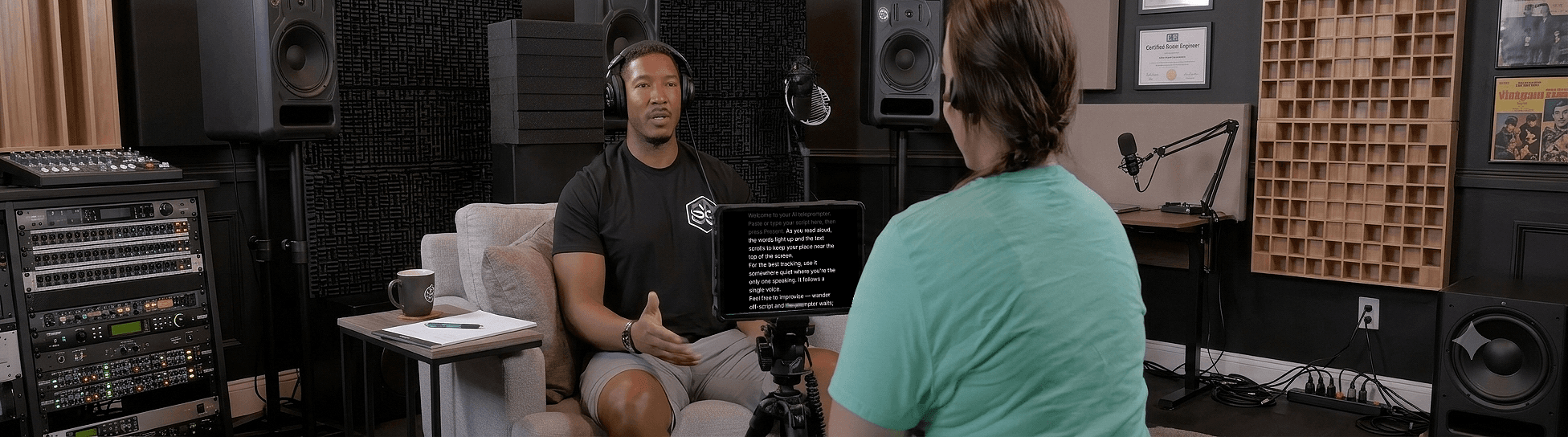
Speak naturally — Let the script follow you
The AI teleprompter that scrolls as you speak — in 60+ languages.