
How to Read a Teleprompter Naturally (Without Sounding Like You're Reading)
Everyone can tell when someone is reading. The eyes drift left to right in tiny sweeps, the voice flattens into an even hum, the pauses land in the wrong places, and the whole thing has the rhythm of a machine rather than a person. None of that is caused by the teleprompter itself. It comes from a handful of habits that are easy to name and, with a little practice, easy to break. This guide walks through the eight that matter most, roughly in the order they show up on camera.
1. Put the text where your eyes already want to be
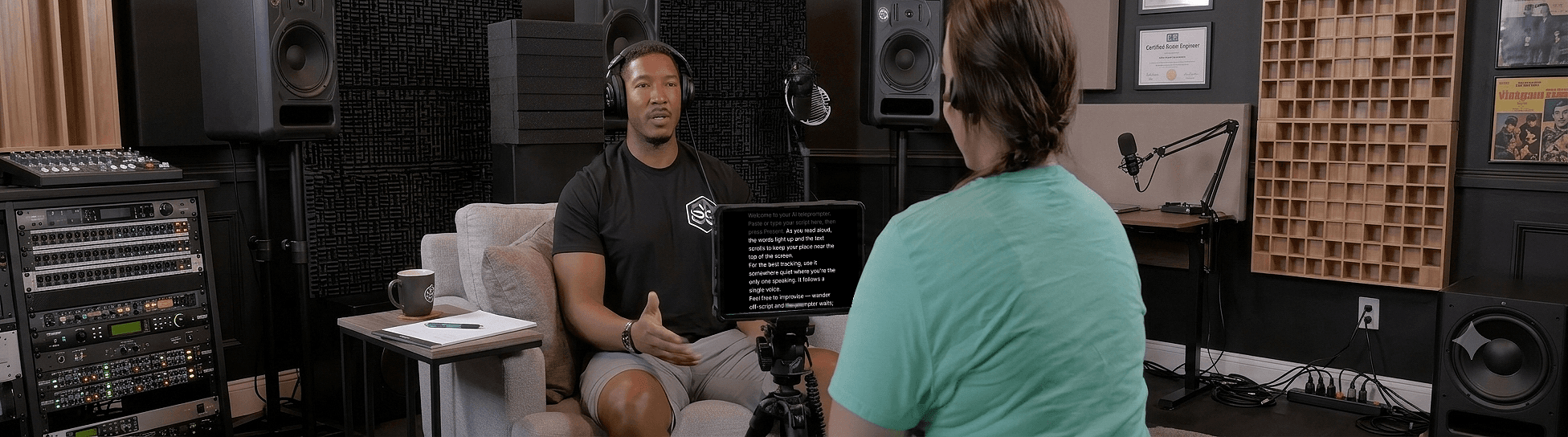
The single biggest giveaway is eye line. If the script sits on a laptop screen twenty centimetres below the webcam, every glance at the text is a glance away from the viewer. The fix is geometric, not theatrical: get the words as close to the lens as physically possible. On a phone or tablet, that means the top of the screen, right under the camera. On a laptop, shrink the window and drag it up against the camera notch. If you record inside Sayscroll, use the overlay layout, which floats the script directly over your camera preview so the active line is millimetres from the lens. The distance-from-camera guide has the numbers if you want them.
2. Read in phrases, not words
Readers who sound natural do not read one word at a time. They grab a whole phrase with one look, then say it while looking at the lens, then grab the next. To make that possible, the script has to be formatted in phrase-sized lines: one thought per line, five to nine words, a hard return at every natural breath. Long justified paragraphs force your eyes into the sweeping motion that gives you away. Short lines let you take a snapshot and speak.
Most people think a teleprompter makes you sound stiff.
It's the other way round.
A good one lets you stop thinking about the words —
so you can think about the person watching.3. Let your voice set the pace, not the scroll
A fixed-speed prompter makes you match the machine, and matching a machine is exactly what a robotic read sounds like: no room to slow down on the point that matters, no room to pause and let a line land, and a constant low-level panic about the text running away. A voice-controlled teleprompter removes that constraint. Because the script moves only when you speak, you can stretch a sentence, stop entirely, smile, and pick up again at your own tempo. Sayscroll tracks the word you are saying and keeps it at the reading markers, near the top of the screen or in the middle, pauses when you pause, and re-syncs when you return after an ad-lib. That one change does more for natural delivery than any performance trick.
4. Breathe at the punctuation
Under pressure people stop breathing properly, which is why a nervous read sounds breathless and rushed. Mark your breaths in the script with a line break or a dash, then honour them. Full stops get a real pause. Commas get a half beat. If the script has no punctuation because it was written as slides or notes, add it before you record; the script-writing guide shows how.
5. Bring more energy than feels normal
Cameras flatten. A delivery that feels slightly too enthusiastic in the room usually plays as just right on playback, and a delivery that feels natural in the room usually plays as tired. Lift your energy a notch: a bit more pitch variation, a bit more pace on the easy lines, a bit more stillness on the important ones. If the prompter follows your voice you can push the pace without the text falling behind.
6. Use your hands
Hands frozen at your sides is a reading tell. Gesture as you would across a table. This is harder than it sounds when one hand is holding a remote or hovering over a scroll wheel, which is another quiet argument for voice control: nothing to hold, nothing to press, hands free to do what they do in conversation.
7. Talk to one person
Pick a specific person, a real one, and record for them. Announcers address a crowd; friends address a person. The choice changes your pitch, your pace, and where you put emphasis, and viewers hear the difference even if they could not explain it. If it helps, tape a small photo next to the lens.
8. Do a throwaway take, then listen back
Record twenty seconds, play it back, and check three things: where are my eyes, where am I breathing, and does this sound like me? Most people fix their own read after one honest listen. Sayscroll's built-in recorder makes the loop short: record, glance at the take, delete, go again, all in the same tab and nothing uploaded.
A five-minute warm-up before you press record
- Read the first two paragraphs aloud, off the prompter, at conversational speed.
- Read them again on the prompter with your eyes deliberately fixed on the lens, letting the text follow you.
- Say the opening line three different ways and keep the one that sounds least like an announcement.
- Mark two places you will pause and one place you will slow down.
- Record the throwaway take.
If you are setting up for the first time, start with how to use a teleprompter and come back here for the delivery. For a full on-camera checklist beyond the prompter, see how to look natural on camera.
Frequently asked questions
Why do I sound robotic on a teleprompter?
Usually because a fixed scroll speed is setting your pace. Match the machine and you sound like one. A voice-following prompter scrolls only when you speak, so pauses, emphasis, and pace are yours again. Phrase-length lines and breathing at punctuation fix most of the rest.
How do newsreaders read a teleprompter so naturally?
Practice, phrase reading, and a screen mounted directly over the lens through a beam-splitter. You can borrow all three: format the script in short lines, put the text as close to the camera as possible, and rehearse the first paragraph until it stops sounding read.
Should I memorize the script as well as using a teleprompter?
Know the shape of it, not the words. Knowing the structure lets you look away from the text for an aside without losing your place, and a voice-following prompter re-syncs when you come back. Word-for-word memorization tends to make delivery stiffer, not looser.
Does it help to slow down?
It helps to vary. Slow down on the line you want remembered, move quickly through the connective tissue, and stop entirely before a key point. A constant slow pace sounds as read as a constant fast one.
Keep reading
How to Look Natural on Camera With a Teleprompter
Tips for looking natural on camera with a teleprompter — from eye line and framing to energy, phrasing, and letting your voice control the scroll.
Teleprompter Distance From Camera: Eye Line, Text Size, and Placement
Eye contact on camera is geometry: the angle between the lens and the text. Here are the numbers for distance, offset, and text size on every kind of setup.
How to Use a Teleprompter: The Complete Guide
From loading a script to a clean take: six steps, the settings that matter, what to do when the text runs away from you, and how a voice-following prompter changes the job.
Related pages
Voice-Controlled Teleprompter
The script moves because you are speaking — it starts when you start, waits when you pause, and needs no remote, pedal, or operator.
Teleprompter for YouTube
Look into the lens, say the whole script in one pass, and record it in the same tab — the prompter follows you, not the other way round.
Teleprompter for Presentations
Deliver a tight talk or webinar without burying your face in notes.
Speak naturally — Let the script follow you
The AI teleprompter that scrolls as you speak — in 60+ languages.