
Teleprompter for YouTube
Look into the lens, say the whole script in one pass, and record it in the same tab — the prompter follows you, not the other way round.
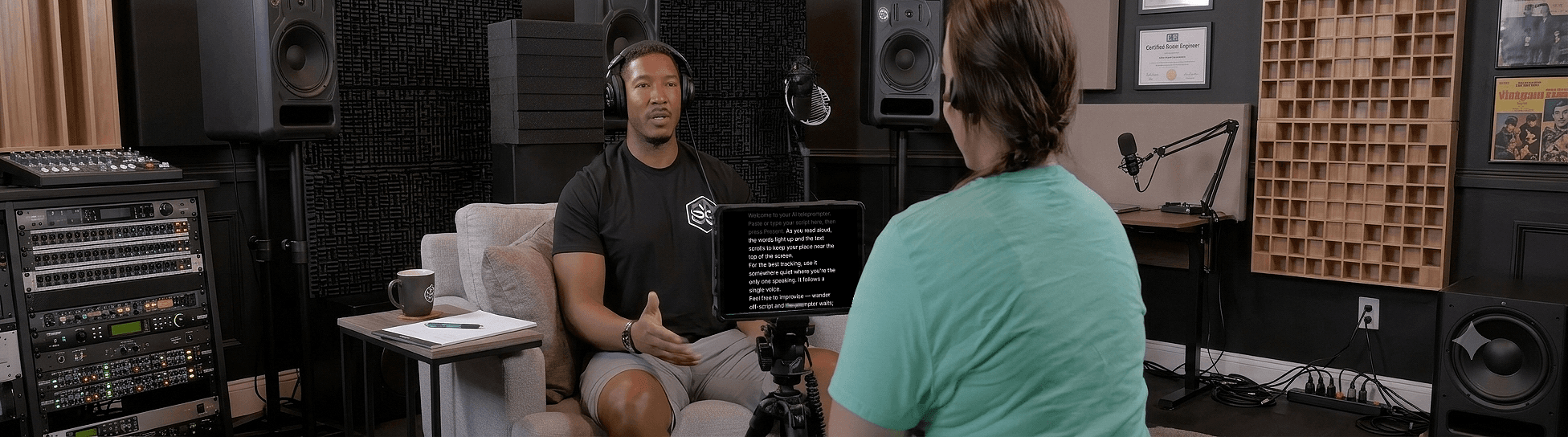
A teleprompter for YouTube helps you deliver scripted videos while looking straight into the camera. Sayscroll follows your voice, so the script scrolls at your pace and waits whenever you ad-lib — and its built-in recorder films you with the text over the camera preview. This page is the working setup: the script-to-upload workflow, where to put the camera and the text, how to format a script that reads naturally, and the retake math that makes voice following worth it.
The workflow: script to upload
Everything from paste to saved file happens in one browser tab. No second app to sync, no exports to wait for.
- Write the script in short lines. One idea per line, marked pauses, numbers spelled out. See the formatting rules below.
- Check the length. Paste it into the script timing calculator — at a YouTube-typical 150 words per minute, an 8-minute video is roughly 1,200 words.
- Paste it into Sayscroll and press Present. Allow the microphone (and camera) once.
- Turn on the built-in recorder. Choose overlay (script over the preview, closest to the lens) or split (text above the preview).
- Record, read, stop. Pause, restate a line, or riff — the prompter waits and re-syncs. Record as many takes as you like.
- Save the keepers. Takes download as MP4 or WebM (Photos on iPhone). Nothing is uploaded to us — drop the file straight into your editor or YouTube Studio.
Prefer a mirrorless camera or OBS? Keep the prompter in a narrow window under the lens and record with your usual setup — the prompter only needs to hear you.
Camera distance and eye line
"Looks read" almost always means the text was too far from the lens. The fix is placement, not acting.
| Setup | Camera distance | Where the text goes | Text size |
|---|---|---|---|
| Phone, front camera, overlay layout | 50–70 cm | Over the preview, top of screen | Large — 6–8 words per line |
| Laptop webcam | 60–90 cm | Tall narrow window at the very top of the screen | Large |
| Mirrorless / DSLR on a tripod | 1–2 m | Phone or tablet directly under the lens | Very large |
| Beam-splitter rig | Any | Reflected into the glass — mirror mode on | Large |
Keep the reading column narrow so your eyes move a centimetre, not across the frame, and put the active line as close to the lens as the layout allows. More on this in how to look natural on camera.
Formatting a YouTube script for a prompter
A script written for the page reads badly on a prompter. A few rules make voice following smoother and the delivery more natural.
- Short lines, one thought each. Line breaks are your phrasing; read to the end of a line, then look up.
- Write numbers as words — "twenty twenty-six", "fifteen percent" — so speech recognition and your mouth agree.
- Spell names phonetically if they're unusual, and add a hyphen where you'd pause.
- Mark the ad-libs. A line like "[riff on the demo]" reminds you that you're leaving the script on purpose; the prompter waits and picks you up on the next scripted phrase.
- Hook first. The opening five seconds decide retention; write and rehearse them until they sound unread.
Full script-writing guidance is in teleprompter tips for YouTube creators.
Fewer takes, less editing: the retake math
With a fixed-speed prompter, every stumble costs a restart because the text has moved on. With voice following, a stumble costs one sentence: repeat it and the prompter re-syncs; cut the first attempt in the edit.
A worked example: a 10-minute script at 150 words per minute is about 1,500 words. Most people fumble a line every two to three minutes. Fixed speed, that is four or five restarts — realistically an hour of recording plus assembling the best pieces in the edit. Voice following, it is one continuous take of about 12 minutes with four short repeats to trim. The recorder makes trimming easier still: record, glance at the take, delete or keep, go again.
No studio gear required
Run it on the laptop or phone you already record with. The reading controls — text size, column width, alignment, light or dark background, fullscreen (press F), mirroring — adjust while the script follows you.
- Voice-paced scrolling, no remote
- Built-in video recorder — takes save straight to your device
- Big, adjustable text for off-camera reading
- Fullscreen, light or dark, any browser
Device specifics are on the teleprompter for iPhone and teleprompter for Mac pages. Recording in Spanish, Hindi, or two languages in one video? Voice tracking works in 60+ languages — see teleprompter in English for how accents are handled.
Try it on your next video
Paste the first minute of your script on the free teleprompter page, turn on the recorder, and read it once. If it holds your place through a pause and a repeated line, it will hold it through the whole video.
Frequently asked questions
Will a teleprompter make my videos look read?
Not if the text is close to the lens and follows your voice. Sayscroll tracks your speech word for word and moves at your natural pace, so you hold eye contact and sound conversational — whereas a prompter that runs ahead makes you glance away to find your place, which is what looks read.
Do I need a teleprompter rig?
No. Sayscroll runs on screen in your browser, and the overlay layout puts the script over your camera preview. You can also place a phone or second monitor under the lens. If you do use a beam-splitter rig, horizontal and vertical mirror modes flip the text so it reads correctly through the glass.
Can it keep up with fast or slow talkers?
Yes. It scrolls exactly as fast as you speak and pauses when you stop, so any pace works — including speeding up through a section you know and slowing down for emphasis.
Can I record my YouTube video directly in Sayscroll?
Yes. Turn on the built-in video recorder and Sayscroll captures your camera and mic while the script follows your voice — with the text overlaid on your camera preview or in a split-screen layout. Record as many takes as you need and save the keepers to your device as regular video files; nothing is uploaded.
How long should a YouTube script be?
At a typical 150 words per minute, about 150 words per minute of video — 750 words for five minutes, 1,500 for ten. Use the speech length calculator to size a script for a target duration.
Keep exploring
Teleprompter for Presentations
Deliver a tight talk or webinar without burying your face in notes.
Teleprompter for Speeches & Public Speaking
Land every line with your eyes up, not buried in a page.
Teleprompter for Podcasts
Read intros, ad reads, and segues without sounding like you're reading.
Teleprompter for Zoom Meetings
Hit your talking points and hold eye contact on every call.
Speak naturally — Let the script follow you
The AI teleprompter that scrolls as you speak — in 60+ languages.