
Free autocue that follows your voice
The word is British; the device is a teleprompter. Try one that scrolls to your voice — free, in your browser, no operator.
An autocue displays your script so you can read while looking at the camera or audience. Sayscroll is a free-to-try online autocue with a difference: it follows your voice, scrolling as you speak and pausing when you stop, in any browser. This page is for readers in the UK, Ireland, Australia, and New Zealand — where "autocue" is the everyday word — and covers where the term comes from, how presenters use one, and how a voice-following autocue differs from a scroll-wheel one.
Autocue vs teleprompter: same thing, different name
"Autocue" is the everyday word for a teleprompter in the UK, Ireland, Australia, and New Zealand. It comes from the British company whose prompters became the standard in television newsrooms, and the brand name became the generic term — as with Hoover or Biro. In North America the same device is a teleprompter; the two words are interchangeable, and everything on this site about teleprompters applies to autocues.
| Term | Where it's used | Refers to |
|---|---|---|
| Autocue | UK, Ireland, Australia, NZ | Any prompter — hardware rig or app |
| Teleprompter | US, Canada, international | The same device |
| Prompter / Q | Broadcast crews everywhere | Shorthand for either |
| Autocue operator | TV studios | The person on the scroll wheel — the job voice following replaces |
How presenters use an autocue
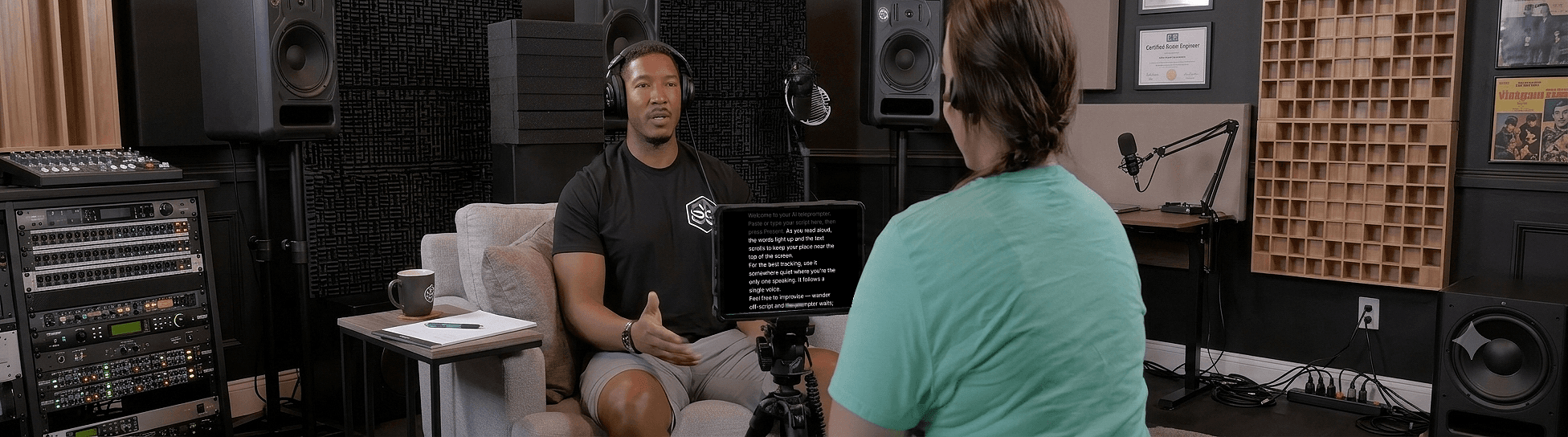
In a studio the autocue is a mirror rig: a monitor under the lens reflects the script into a sheet of glass in front of the camera, and an operator scrolls it by hand to match the presenter. Outside the studio the same idea shrinks to a phone on a tripod or a laptop under a webcam.
- News and broadcast: mirror rig, operator, house style of short lines and marked pauses.
- Corporate video and e-learning: laptop or tablet under the camera; the presenter reads a prepared script in one or two takes.
- YouTube and social: phone with the script over the camera preview — see teleprompter for YouTube.
- Speeches and events: a confidence monitor or tablet at the lectern — see teleprompter for public speaking.
A modern autocue, not a scroll speed
Traditional autocue software scrolls at a fixed speed or needs an operator with a scroll wheel. Sayscroll listens instead: real-time speech recognition tracks each word you say and keeps your place centred, waits while you pause or ad-lib, and re-syncs when you return to the script. It works in 60+ languages and mirrors for beam-splitter autocue rigs.
- No account needed to try
- No fixed scroll speed to set — your voice is the operator
- Mirroring for professional autocue hardware
- Built-in recorder for phone and laptop takes
The mechanics — what happens when you repeat a line, pause for 30 seconds, or jump ahead — are on the voice-controlled teleprompter page. If you specifically want a prompter that scrolls by itself at a set pace, the auto-scroll teleprompter page compares the two approaches.
Using Sayscroll with an autocue rig
Any monitor, tablet, or phone that fits your rig works as the source. Open Sayscroll on it, go fullscreen (press F), and switch on horizontal or vertical mirroring so the reflection reads correctly through the glass. The microphone can be the rig device's own or a lapel mic — the prompter only needs to hear you.
No rig? A laptop or phone with the text directly under the lens gets most of the eye-contact benefit — the device pages for Mac, Windows, and iPhone show the layouts.
Free to try, instantly
Open Sayscroll in your browser, paste a short script (up to 700 characters), and press Start — no sign-up, no download, no card, no watermark. Paid plans remove the length limit and add monthly speech time. The full breakdown of what free includes is on the free teleprompter page.
Frequently asked questions
Where can I find a free autocue?
Right here — Sayscroll runs free in your browser with a short script: paste it, press Start, and it scrolls as you speak. No account, download, card, or watermark. Paid plans remove the script-length limit and add monthly speech time.
What is the difference between an autocue and a teleprompter?
Nothing — they're the same device. "Autocue" is the common term in the UK, Ireland, Australia, and New Zealand (after the British brand), while "teleprompter" is standard in the US. Both show your script so you can read while looking at the camera.
Do I need to download an autocue app?
No. Sayscroll runs in any modern browser on a laptop, phone, or tablet — nothing to install, and it works with beam-splitter rigs via mirror mode.
Does it work with a professional autocue rig?
Yes. Run it fullscreen on the rig's monitor or tablet and enable horizontal or vertical mirroring so the text reads correctly through the glass. Your voice replaces the operator.
Is there an autocue operator or remote?
Neither is needed. Speech recognition follows your voice, pauses when you stop, and re-syncs when you return from an ad-lib — the job an operator used to do.
Keep exploring
Free Teleprompter
Paste a script and start reading — no account, no download, no card, no watermark. Here is exactly what free includes.
Online Teleprompter
Open a tab, paste your script, allow the microphone, and read. Nothing to install on any device.
Voice-Controlled Teleprompter
The script moves because you are speaking — it starts when you start, waits when you pause, and needs no remote, pedal, or operator.
Auto-Scroll Teleprompter
Every auto-scroll prompter moves the text for you. The question is what sets the speed: a number you guess in advance, or your actual voice.
Speak naturally — Let the script follow you
The AI teleprompter that scrolls as you speak — in 60+ languages.