
Teleprompter for Mac
A voice-following prompter for any MacBook, iMac, or Mac mini — open it in Safari or Chrome, no App Store needed.
A teleprompter for Mac that needs no download: Sayscroll runs in Safari, Chrome, Arc, Edge, or Firefox and follows your voice, so the script scrolls as you speak and waits when you pause. This page covers Mac-specific setup — microphone permission in macOS, the built-in recorder versus QuickTime and OBS, external webcams and eye line, and the shortcuts that matter when you read.
Set up in under a minute
There is no installer, no Gatekeeper prompt, and nothing to keep updated. macOS asks about the microphone once per browser.
- Open sayscroll.com in Safari or Chrome and paste your script.
- Press Present. The browser asks for microphone access — click Allow. If macOS also asks (System Settings → Privacy & Security → Microphone), allow the browser there too.
- Start reading. The active word stays centred; press F for fullscreen and Esc to leave.
Recording on a Mac: three ways
How you record decides where the prompter goes. All three keep the script following your voice; they differ in camera, quality, and how many windows you juggle.
| Method | Camera | Where the text is | Best for |
|---|---|---|---|
| Built-in recorder | FaceTime camera or any webcam | Overlay on the preview or split above it — inches from the lens | Talking-head videos, social clips, quick updates |
| QuickTime Player | FaceTime camera / iPhone as webcam (Continuity Camera) | Prompter window just below the camera, QuickTime in another window | Clean full-resolution capture with no extra software |
| OBS Studio | Any camera, capture card, or Continuity Camera | Prompter on a second display or beside OBS | Streams, multi-scene setups, screen + camera |
With the built-in recorder, takes save to your Downloads folder as regular video files and nothing is uploaded. Whichever route you choose, the prompter only needs to hear you — it does not touch the recording app.
Eye line: where to put the text
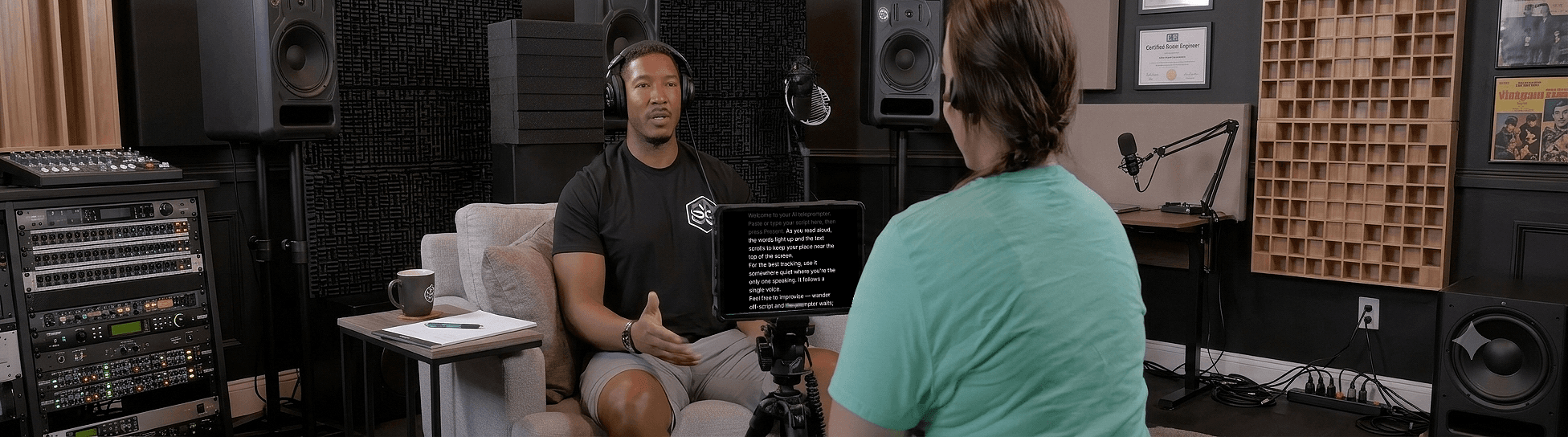
A MacBook's camera sits above the screen, so the prompter window should be as high and as narrow as possible. Drag the browser window to the top of the display, shrink it to a tall column, and put the recording app underneath. Your eyes travel a centimetre, which reads as eye contact.
- External webcam on a monitor: clip it at the top-centre and run the prompter fullscreen with a narrow column, or use a second display placed directly under the camera.
- iPhone as webcam: Continuity Camera puts the lens above the screen; keep the text under it, large, and centred.
- Beam-splitter rig: run the prompter fullscreen on the rig's monitor and turn on mirror mode so the reflection reads correctly.
More on eye line and phrasing in how to look natural on camera.
Reading controls and shortcuts
Everything adjusts while the script follows your voice, so you can fix a layout mid-take without stopping.
- Runs in Safari, Chrome, Arc, Edge, Firefox and more
- Voice-paced scrolling, no remote or pedal
- Fullscreen (F), light or dark background, adjustable size and width
- Horizontal and vertical mirroring for beam-splitter rigs
Pause to think and the prompter waits; go quiet for 30 seconds and the microphone pauses itself until you press Resume. How the voice tracking behaves when you improvise is on the voice-controlled teleprompter page.
Troubleshooting on a Mac
Three problems account for nearly every "it isn't following me" report on macOS, and all three are settings rather than faults.
- The text never moves. The browser has no microphone permission. In Safari: Safari menu → Settings for sayscroll.com → Microphone → Allow. In Chrome: the icon left of the address bar → Site settings → Microphone. Then check System Settings → Privacy & Security → Microphone lists the browser.
- It follows for a while, then stops. You went quiet for 30 seconds and the mic paused itself — press Resume. If you were still talking, the browser may have switched to a different input (a headset that woke up); reselect the mic.
- Tracking lags or skips. Usually a slow connection: speech is transcribed live, so a hotel Wi-Fi hiccup shows up as a delay. A wired or reliable connection fixes it; a quieter room and a closer mic help recognition.
Works on every Mac
MacBook Air, MacBook Pro, iMac, Mac mini, Mac Studio — Apple silicon or Intel. There is no minimum spec beyond a browser and a microphone; the speech recognition runs in the cloud, not on your machine, so an older Mac is fine. On a MacBook the built-in display is the prompter; on a desktop Mac, any second display or an iPad in Sidecar can sit directly under the camera.
Also filming on your phone? The teleprompter for iPhone page covers the mobile setup. To try the Mac version now, paste a short script on the free teleprompter page.
Frequently asked questions
Is there a Mac app to download?
No native app is needed. Sayscroll runs in your Mac's browser, so there's nothing to install or update — and it behaves the same on Apple silicon and Intel Macs.
Which Mac browsers are supported?
Any modern browser — Safari, Chrome, Arc, Edge, Firefox and more — with microphone access. Allow the mic once in the browser (and in macOS Privacy settings if asked).
Can I use it while recording with QuickTime or OBS?
Yes. Keep Sayscroll in one window and your recording app in another; the prompter follows your voice as you read. Or skip the second app and use the built-in recorder.
Does it work with an iPhone as a webcam?
Yes. Continuity Camera works with the built-in recorder, QuickTime, and OBS. Keep the prompter text directly under the phone's lens.
Can I use a beam-splitter teleprompter rig with a Mac?
Yes. Run the prompter fullscreen on the rig's monitor and enable horizontal or vertical mirroring so the text reads correctly through the glass.
Keep exploring
Online Teleprompter
Open a tab, paste your script, allow the microphone, and read. Nothing to install on any device.
Teleprompter for iPhone
Prop up the phone, open Safari, and let your voice scroll the script — while the same phone films you.
Teleprompter for Windows
A voice-following prompter for any Windows PC or laptop — open it in Edge or Chrome, nothing to install.
Free Autocue
The word is British; the device is a teleprompter. Try one that scrolls to your voice — free, in your browser, no operator.
Speak naturally — Let the script follow you
The AI teleprompter that scrolls as you speak — in 60+ languages.