
Teleprompter Scroll Speed Calculator
Set your speaking pace, text size, and screen, and get the scroll speed a fixed-speed prompter needs — in lines per minute, pixels per second, and seconds per screen.
Lines per minute
20 lines/min
Scroll speed
22 px/s
A full screen every
29 s
Transfer it to a fixed-speed prompter
- Set the prompter to the same text size and line width, so a line holds about the same number of words.
- Start it scrolling and time how long one full screen of text takes to pass — adjust the speed until it matches the seconds above.
- Rehearse the first paragraph once at that setting; if the text still runs away when you pause, the setting is right and the pause is the problem.
Tired of tuning it? Try the free teleprompter that follows your voice instead
A fixed-speed teleprompter has to move the text at exactly the rate you speak, and its speed slider gives you no idea what that rate is. This calculator turns your words per minute, text size, and screen height into the three numbers you can actually use: how many lines must scroll each minute, how many pixels per second that is, and how many seconds one full screen should take to pass. Time a screen on your prompter, match the seconds, and the speed is set. Or skip the tuning entirely with a prompter that follows your voice.
How the calculation works
Words per minute divided by words per line gives lines per minute. A line of text is about 1.4 times the font size tall, so lines per minute times line height gives pixels per minute; divide by 60 for pixels per second. Screen height divided by that speed is how long one full screen takes to scroll past — the figure that is easiest to check against a real prompter with a stopwatch. Change the text size and every number changes, which is why a speed setting only ever fits one script on one screen.
Lines per minute at common paces
The figure that survives across prompters is lines per minute. At seven words per line — a typical short-line script — the common paces work out to:
- 110 wpm (formal speech): about 16 lines per minute
- 130 wpm (typical live speaking): about 19 lines per minute
- 140 wpm (conversational): 20 lines per minute
- 160 wpm (presenter): about 23 lines per minute
- 180 wpm (brisk broadcast): about 26 lines per minute
Transferring the number to your prompter
Most fixed-speed prompters show an arbitrary speed value, so calibrate by time rather than by number. Set the same text size and column width as here, start the scroll, and time how long a full screen of text takes to pass the reading line; adjust the speed until it matches the seconds the calculator gives. Then rehearse the first paragraph once. If you reach the end of the paragraph before the reading line does, nudge the speed up; if the text runs ahead, nudge it down. Note the final value for that script and screen, because a different font size will need a new one.
Why the setting never quite works
Even a perfectly calibrated speed assumes you speak at one rate for the whole read. Nobody does: you slow down for the important sentence, speed up through a list, pause to think, and stop for a laugh. Every deviation opens a gap between you and the text, and with a fixed speed the only fix is a retake. A voice-following prompter has no speed to set: speech recognition matches the words you say to the script and moves the text to keep the current word in place, waiting when you pause and re-syncing when you return from an ad-lib. Sayscroll works this way in 60+ languages, in the browser, with nothing to install, and the free demo lets you feel the difference on a short script before you decide.
Frequently asked questions
How fast should a teleprompter scroll?
At your speaking pace — usually 120 to 160 words per minute. Divide that by the words on each line for lines per minute, then calibrate the prompter by timing one full screen. Or use a voice-following prompter, which needs no speed at all.
What do the speed numbers on my teleprompter mean?
Usually nothing standard — most apps use an arbitrary scale that also changes meaning when you change the font size. Calibrate by timing a full screen of text against the seconds this calculator gives instead of trusting the number.
How many words should be on each teleprompter line?
Five to nine. Shorter lines keep your eyes from sweeping left to right, which is the main giveaway that someone is reading. The calculator's words-per-line slider lets you match whatever your script uses.
Do I need a scroll speed with Sayscroll?
No. Sayscroll follows your voice word by word, so there is no speed to tune — speak faster and it keeps up, pause and it waits. You can still scroll by hand at any time, and voice following resumes a few seconds after you let go.
Is anything I enter stored?
No. The calculator runs entirely in your browser and sends nothing anywhere.
Keep exploring
Script timing calculator
Paste your script and see how long it takes to read aloud at any speaking pace.
Speech length calculator
Set your time slot and speaking pace to get the word count your speech should be.
WPM reading test
Read a short passage aloud and measure your words-per-minute speaking pace.
Word counter
Count words, characters, sentences, and paragraphs, and see the reading time silently and aloud.
Free speaking tools
Free tools for speakers and creators: count words, time a script, size a speech to your slot, measure your speaking pace, and set a scroll speed. No sign-up.
Sayscroll — AI teleprompter
Paste your script and the prompter scrolls as you speak. Free to try, right in your browser, in 60+ languages.
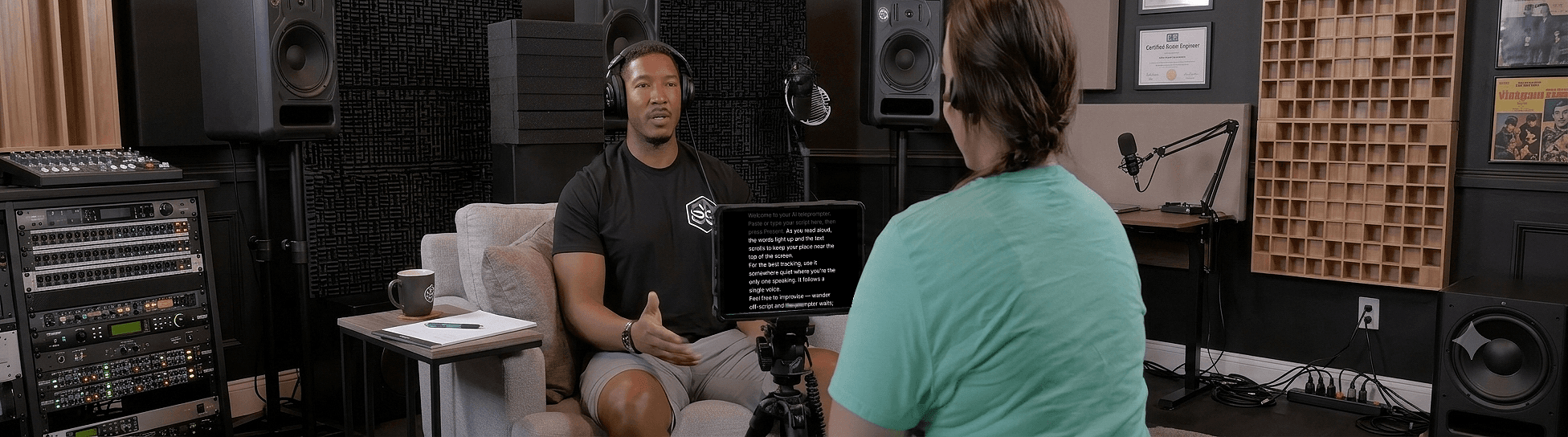
Speak naturally — Let the script follow you
The AI teleprompter that scrolls as you speak — in 60+ languages.