
Teleprompter in English that follows your voice
Read in English with any accent — the script scrolls as you speak and waits when you pause. No training, no 'speak clearly' mode.
Sayscroll is a teleprompter built for spoken English: real-time speech recognition matches your voice word by word against your script, so the text moves at your pace instead of a preset scroll speed. It understands English as it is actually spoken — American, British, Australian, Indian, or shaped by another first language — and it keeps tracking when your English script contains names, quotes, or whole sentences in another language.
Accents and varieties that track
Recognition is trained on English from everywhere, so there is nothing to calibrate and no accent setting. The differences that matter for tracking are small and mostly about vocabulary, not sound.
| Variety | What tracks the same | Worth knowing |
|---|---|---|
| American (all regions) | Everything — the largest training set | Fast speakers: keep lines short so the active word stays centred |
| British and Irish | Vowels, dropped r's, glottal stops | "Schedule", "privacy", "advertisement" — either pronunciation matches |
| Australian and New Zealand | Rising intonation, vowel shifts | Slang and place names track when they are spelled the way you say them |
| Indian, Singaporean, Nigerian and other Englishes | Rhythm, retroflex consonants, syllable timing | Local words and switches into Hindi, Tamil, Malay or Yoruba keep tracking |
| Non-native (any first language) | Consonant substitutions, stress shifts | Pausing to find a word is free — the prompter waits, then re-syncs |
Mixed-language and multilingual scripts
An English script rarely stays English for long: brand names, a Spanish quote, a Hindi aside for a bilingual audience. Sayscroll transcribes what you say in whichever of its 60+ languages you are speaking and matches it to the script, so the switch does not break tracking.
Welcome back to the channel. Today we are testing three lenses — and, as my abuela would say, "lo barato sale caro" — so let's see whether the cheapest one holds up.Bilingual creators who publish in both languages should look at the Spanish teleprompter, Portuguese teleprompter, or French teleprompter pages for the other language's specifics. Every other supported language — sixty in all, grouped by script — is on the teleprompter languages page.
Writing an English script the prompter reads well
Speech recognition transcribes what it hears, so a script that matches how English is spoken tracks better than one written for the page.
- Numbers as words. "Twenty twenty-six" and "fifteen percent" match; "2026" and "15%" are ambiguous to say and to hear.
- Acronyms as you say them. "N-A-S-A" if you spell it, "NASA" if you say it as a word; "S-E-O", "U-R-L". Hyphenated spellings are consumed letter by letter.
- Names phonetically. Unusual surnames and product names track best written the way you pronounce them — restore the spelling in captions later.
- Contractions are fine. "We're", "don't", "it's" match whether you say the contraction or the full form.
- Short lines. One thought per line keeps the active word near the lens and makes re-entry after an ad-lib instant.
What happens when you go off script, in English
Improvise, take a question, or repeat a sentence: the prompter holds position while your words stop matching, keeps listening, and re-syncs the moment you say the next scripted phrase. The tracking is deliberately conservative, so a common English word in a later paragraph cannot drag the script to the wrong page. To jump far, scroll to the line you want to read next and the prompter continues from there.
- No fixed scroll speed to set
- Auto-pause after 30 seconds of silence, one tap to resume
- Scroll to any line to continue from there
- Built-in video recorder in the browser
- Mixed-language scripts supported
The full mechanics are on the voice-controlled teleprompter page. Recording for YouTube in English? The teleprompter for YouTube page covers camera distance, eye line, and the record-in-browser workflow.
Try it in English now
Paste a short English script on the free teleprompter page, press Start, and read in your own accent — no account, download, or card. Check your speaking pace first with the WPM reading test if you want a number to plan around.
Frequently asked questions
Does the teleprompter work with my English accent?
Yes. Voice tracking handles American, British, Australian, Indian, and other English varieties, as well as non-native accents — no training or setup, just start reading. Vocabulary that is spelled the way you say it tracks best.
Can I mix English with another language in one script?
Yes. Sayscroll follows mixed-language scripts, so an English script with foreign names, quotes, or whole paragraphs in another language keeps tracking across the switch, with no language setting to change.
Does it work for non-native English speakers?
Yes, and it is one of the most common uses. Pauses to find a word cost nothing — the prompter waits — and pronunciation differences are handled by the recognition, not by a 'speak clearly' mode.
Is the English teleprompter free?
Yes, there's a free demo with a script-length limit — no account or download needed. Paid plans remove the limit and add monthly speech time.
Keep exploring
Voice-Controlled Teleprompter
The script moves because you are speaking — it starts when you start, waits when you pause, and needs no remote, pedal, or operator.
Teleprompter Languages: All 60 Supported
Read in any of 60 languages — or two at once — and the script scrolls as you speak. No language picker: Sayscroll identifies the languages in your script automatically.
Spanish Teleprompter With Voice Tracking
Read Spanish from Madrid, Mexico City, Buenos Aires, or Bogotá — the script scrolls as you speak and switches to English and back without a setting.
French Teleprompter With Voice Tracking
Read French from Paris, Montréal, Brussels, or Geneva — the script scrolls as you speak, waits when you pause, and handles liaison and anglicisms without a setting.
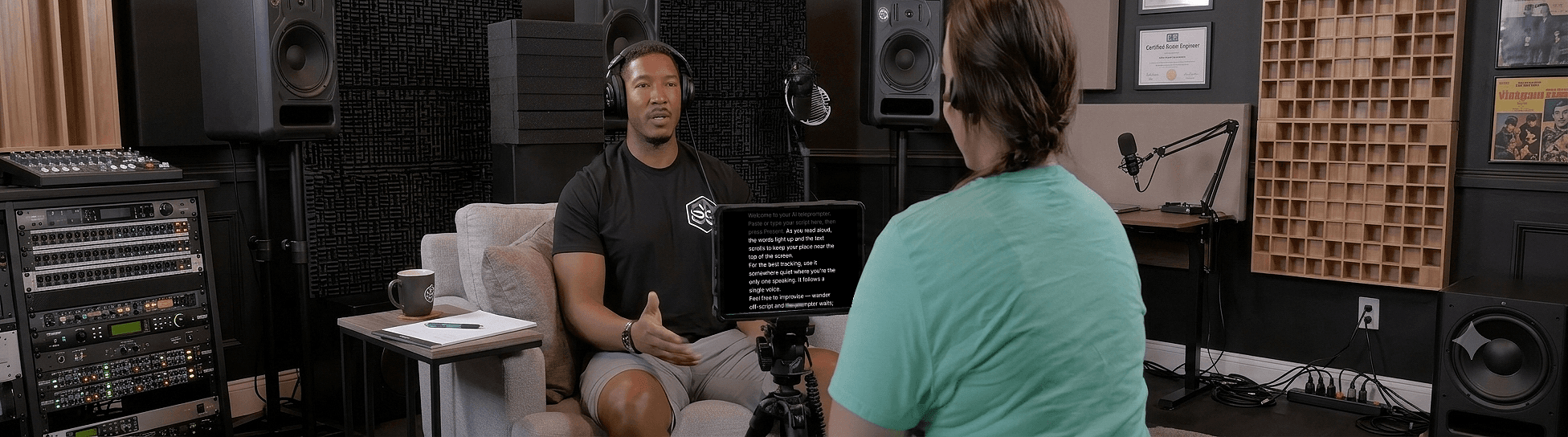
Speak naturally — Let the script follow you
The AI teleprompter that scrolls as you speak — in 60+ languages.