
How to Look Natural on Camera With a Teleprompter
The fastest way to look stiff on camera is to read at a teleprompter instead of talking to it. Stiffness has a handful of specific causes, though, and each has a specific fix: where the text sits, how the shot is framed, how much energy you bring, how the script is phrased, and whether the prompter is setting your pace or you are. Work through them in this order.
Keep the text by the lens
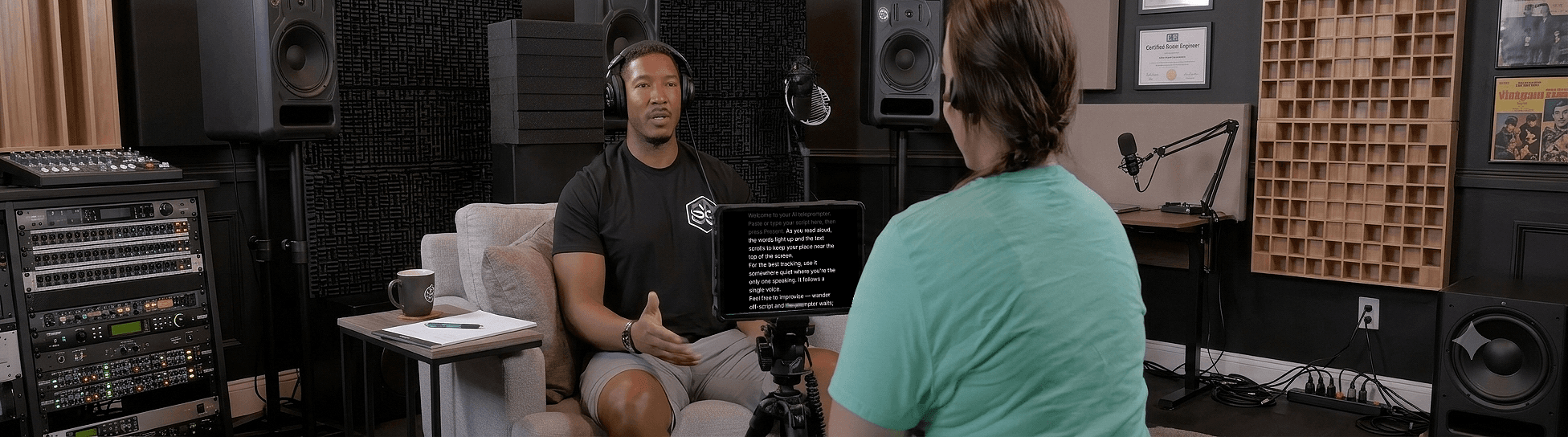
The bigger the gap between the text and the lens, the more obvious the read, because your eyes point at the words rather than the viewer. Put the prompter directly under or over the camera. The easiest setup: record with Sayscroll's built-in video recorder and use the overlay layout, where the script floats on top of your camera preview, a couple of centimetres from the lens. Under about three degrees of offset, viewers see eye contact; the distance guide has the numbers for every setup.
Get the camera to eye level and frame tight
A lens below your eyes makes you look down at the viewer and exaggerates every glance at the script. Raise it to eye height. Frame from mid-chest up with your eyes about a third of the way down the frame, and sit or stand about a metre back so small eye movements are small on screen. Light from in front, never from a window behind you.
Read in phrases, not words
Let your eyes grab a whole phrase, then say it while looking at the lens. Word-by-word reading produces the left-to-right eye sweep that gives readers away. Formatting the script into short lines makes phrase reading automatic: five to nine words per line, one idea each, a break where you would breathe.
Let your voice control the pace
A voice-controlled, hands-free prompter scrolls as you speak, so you can add natural pauses and emphasis without the text getting ahead of you. The catch: most apps that claim to do this don't track reliably in the first place — the script drifts and drags your eyes off the lens to find your place. Sayscroll follows you word for word and holds your exact spot, so you stay locked on the camera and can vary your pace the way you would in conversation.
Bring more energy than feels normal
Cameras flatten. A delivery that feels a little too enthusiastic in the room plays as just right on playback, and a delivery that feels natural in the room plays as tired. Lift your energy a notch: more pitch variation, a bit more pace on easy lines, more stillness on the important ones. Smile before you start speaking, not after.
Use your hands and talk to one person
Gesture as you would across a table. A voice-paced prompter leaves your hands free because there is no remote to hold or wheel to turn. And pick one specific person to talk to; announcers address a crowd, friends address a person, and the choice changes your pitch and emphasis in ways viewers hear.
Do a warm-up take
Record a throwaway take to settle your eye line and pace before the real one, then listen back honestly: where are my eyes, where am I breathing, does this sound like me? Sayscroll's built-in recorder makes this painless: record, glance at the take, delete it, and go again — all in the same tab, nothing uploaded.
New to prompters? Start with how to use a teleprompter. For the reading technique in depth, see how to read a teleprompter naturally.
Frequently asked questions
Why do I look like I'm reading on camera?
Usually the text is too far from the lens or you're reading word-by-word. Move the prompter close to the camera, read in phrases, and use a voice-following prompter so you control the pace.
Does a teleprompter help with eye contact?
Yes, when the text sits close to the lens. Your eyes stay near the camera, which reads as eye contact to viewers. With the text far from the lens, it does the opposite.
How do I stop being nervous on camera?
Take the recall out of the job with a script on a prompter, do a throwaway take you have already decided to delete, and talk to one specific person rather than an audience. Nerves mostly come from trying to remember and perform at once.
Should I smile on camera?
Before you start speaking, and whenever the content allows. A smile at the start sets the tone of the whole read; a forced one held throughout looks worse than none.
Keep reading
How to Read a Teleprompter Naturally (Without Sounding Like You're Reading)
The read-aloud sound comes from a few fixable habits: eyes that scan, a pace set by the machine, and breath that never lands. Here's how to fix each one.
Teleprompter Distance From Camera: Eye Line, Text Size, and Placement
Eye contact on camera is geometry: the angle between the lens and the text. Here are the numbers for distance, offset, and text size on every kind of setup.
How to Record a Talking-Head Video (Setup, Script, and Delivery)
Camera, framing, light, sound, script, prompter, delivery: the complete talking-head recipe, with the choices that matter and the ones that don't.
Related pages
Teleprompter for YouTube
Look into the lens, say the whole script in one pass, and record it in the same tab — the prompter follows you, not the other way round.
Voice-Controlled Teleprompter
The script moves because you are speaking — it starts when you start, waits when you pause, and needs no remote, pedal, or operator.
Teleprompter for Presentations
Deliver a tight talk or webinar without burying your face in notes.
Speak naturally — Let the script follow you
The AI teleprompter that scrolls as you speak — in 60+ languages.