
How to Make Videos Without Memorizing a Script
The reason most people find video hard is not the camera. It is the belief that you have to hold the whole script in your head while performing it. You do not. Presenters have read from screens for decades, and the modern version of that screen fits in a browser tab, follows your voice, and records the take for you. This is the workflow, start to finish, for making videos without memorizing a word.
Step 1: Write it for the ear
Draft the script in the words you would use across a table: short sentences, contractions, one idea per line. Numbers as words, acronyms as you say them. Then read it aloud once and cut anything you stumbled on. The full method is in how to write a teleprompter script; the short version is that if it is hard to say, it will be hard to watch.
Step 2: Size it to the video you want
At a conversational 140 words per minute, a two-minute video is about 280 words and a five-minute one about 700. Check the draft in the script timing calculator so you are not surprised on the day. Shorter is nearly always better; the audience will not miss the ten percent you cut.
Step 3: Put the words next to the lens
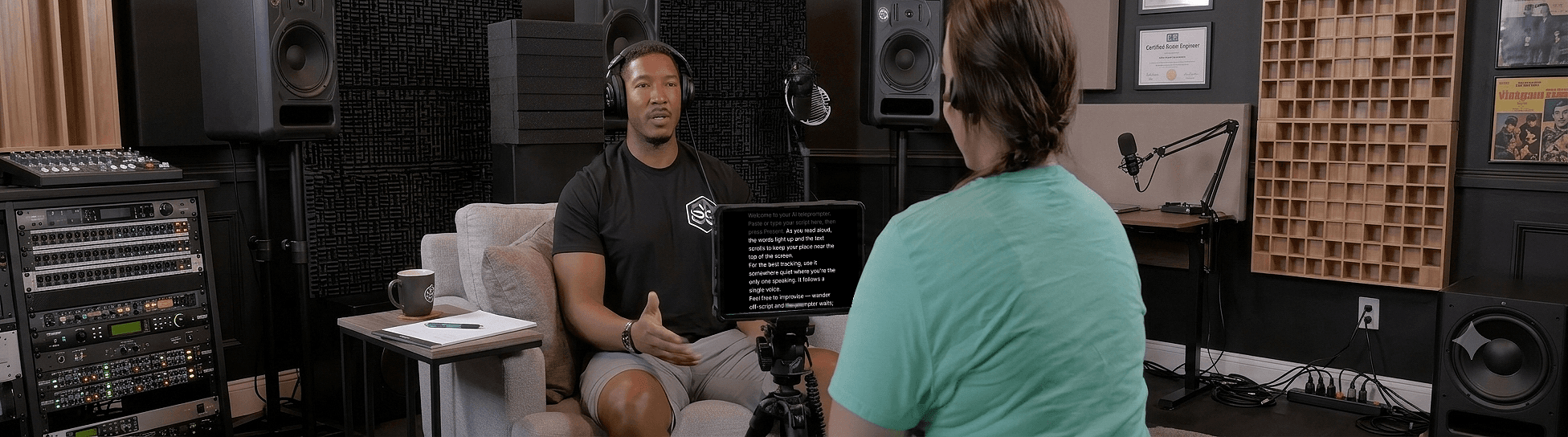
Open Sayscroll in the browser on whatever device has your camera: phone, laptop, or tablet. Paste the script, press Start, and turn on the built-in recorder in the overlay layout, which floats the script directly over your camera preview. The active line sits a couple of centimetres from the lens, so looking at the words is looking at the viewer. On a phone, add the site to your home screen first so it opens full screen; the iPhone page shows how.
Step 4: Talk, and let the script follow
This is the part that makes memorizing unnecessary rather than merely optional. Sayscroll listens as you read and moves the text to keep the word you are saying at the reading markers, near the top of the screen or in the middle. Pause and it waits. Add an aside and it holds, then re-syncs when you return to the script. Repeat a sentence and it follows you back. You are never keeping up with a scroll speed, so you can put your attention where it belongs, on the person you are talking to. The mechanics are on the voice-controlled teleprompter page.
Step 5: Record in one continuous take
Do not stop the recorder when you flub a line. Say the line again and keep going; the prompter re-syncs to the repeated sentence, and you cut the bad version out later. One long file with a few restarts edits faster than ten short files, and it keeps your energy up because you never break the flow. Takes save to your device as MP4 or WebM, straight to Photos on iPhone, and nothing is uploaded.
Step 6: Edit the restarts, not the delivery
Because you re-read each flubbed line in place, editing is a matter of finding the restarts and deleting the first attempt. A clap or a two-second silence before each retake makes them easy to find on the waveform. If you used the split layout, you also have a clean frame with no script overlay to worry about.
What to memorize anyway
- The hook, if you will say the same one in every video.
- The structure, so you can look away for a demo or a joke without losing the thread. Reading it aloud three times does this on its own.
- Nothing else. The teleprompter vs memorizing comparison explains why.
The whole workflow runs in the free demo with a short script, no account or download. When you are ready for the full production setup, how to record a talking-head video covers camera, light, and sound.
Frequently asked questions
How do YouTubers talk to the camera without forgetting their lines?
Most read from a teleprompter placed next to the lens, or know the structure and read the exact words from a prompter for the precise parts. A voice-following prompter keeps that from looking like a read because it scrolls at the speaker's pace.
Can I make videos on my phone without memorizing?
Yes. Open Sayscroll in the phone's browser, add it to the home screen for full screen, paste the script, and record with the overlay layout so the text sits right under the front camera. The script follows your voice and the take saves to your camera roll.
Won't it look like I'm reading?
Not if the text is near the lens, the lines are short, and the prompter follows your voice instead of a fixed speed. Those three things remove the eye sweep and the flat pace that give reading away.
Do I need a separate app to record?
No. Sayscroll has a built-in recorder that captures your camera and microphone in the same tab while the script follows your voice. Takes save to your device as regular video files.
Keep reading
Teleprompter vs Memorizing a Script: Which Gets a Better Take?
Memorizing feels more honest and usually looks worse. A fair comparison on delivery, retakes, preparation time, and accuracy — plus the hybrid most pros actually use.
How to Record a Talking-Head Video (Setup, Script, and Delivery)
Camera, framing, light, sound, script, prompter, delivery: the complete talking-head recipe, with the choices that matter and the ones that don't.
How to Look Natural on Camera With a Teleprompter
Tips for looking natural on camera with a teleprompter — from eye line and framing to energy, phrasing, and letting your voice control the scroll.
Related pages
Teleprompter for YouTube
Look into the lens, say the whole script in one pass, and record it in the same tab — the prompter follows you, not the other way round.
Voice-Controlled Teleprompter
The script moves because you are speaking — it starts when you start, waits when you pause, and needs no remote, pedal, or operator.
Teleprompter for iPhone
Prop up the phone, open Safari, and let your voice scroll the script — while the same phone films you.
Speak naturally — Let the script follow you
The AI teleprompter that scrolls as you speak — in 60+ languages.